

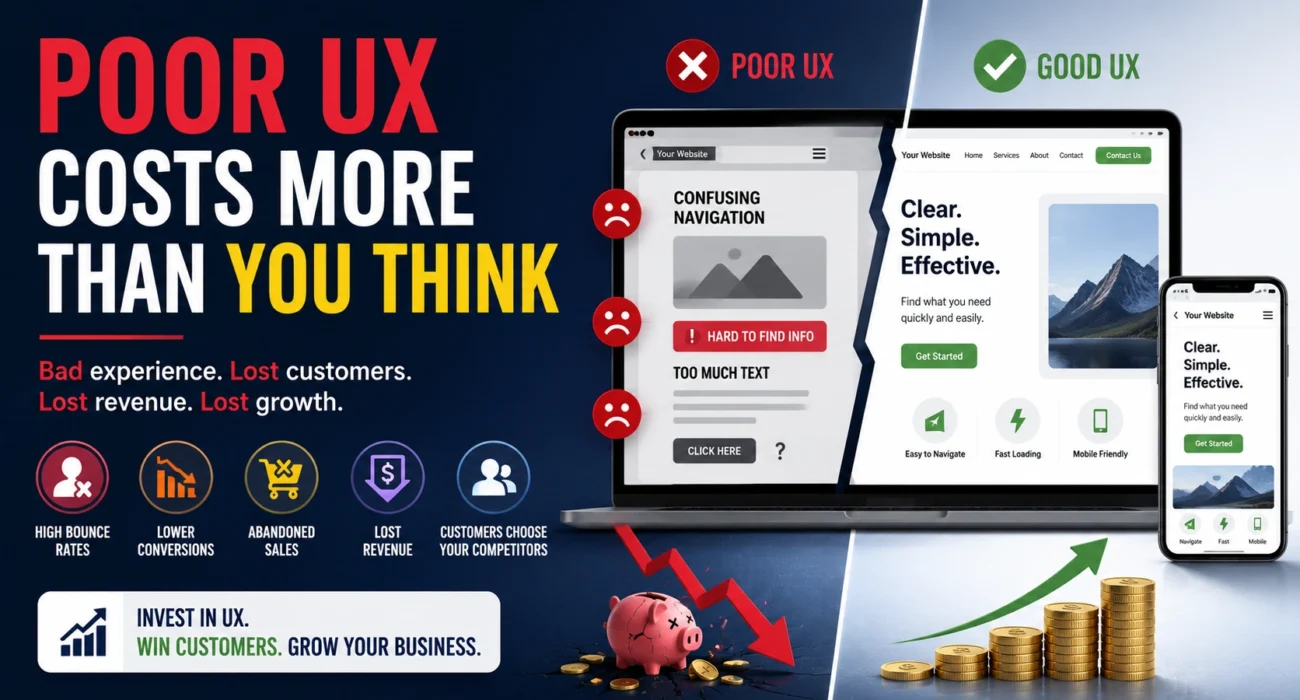
In today’s digital world, customers expect fast, intuitive, and seamless online experiences. Whether they’re browsing a website, using a mobile app, or completing an online purchase, every interaction shapes their perception of your business.
Unfortunately, many companies focus heavily on attracting visitors while overlooking a critical factor: user experience (UX). A poorly designed website or application can frustrate users, increase bounce rates, and ultimately drive potential customers to competitors.
In this article, we’ll explore what user experience is, why it directly impacts revenue, common UX mistakes businesses make, and practical ways to improve UX for better customer retention and conversions.
What Is User Experience (UX)?
User Experience (UX) refers to the overall experience a person has when interacting with a website, application, product, or digital platform.
UX encompasses factors such as:
- Ease of navigation
- Page loading speed
- Mobile responsiveness
- Visual design
- Accessibility
- Content readability
- Checkout and conversion processes
A positive user experience helps visitors achieve their goals quickly and efficiently. A poor experience creates friction, confusion, and frustration.
Simply put, UX determines whether users stay, engage, and convert—or leave.
Why UX Impacts Revenue
1. Better UX Increases Conversions
When users can easily find information, navigate pages, and complete actions, they are more likely to become customers.
Examples include:
- Completing contact forms
- Making purchases
- Booking appointments
- Requesting quotes
- Subscribing to newsletters
Every obstacle in the customer journey reduces conversion rates.
2. Poor UX Increases Bounce Rates
Visitors often leave websites within seconds if they encounter:
- Slow-loading pages
- Confusing navigation
- Cluttered layouts
- Broken functionality
Higher bounce rates mean fewer opportunities to generate leads and sales.
3. Customer Trust Depends on UX
A professional and intuitive website builds credibility.
Poor UX can make businesses appear:
- Outdated
- Unprofessional
- Untrustworthy
Customers are far less likely to share personal information or complete purchases when they lack confidence in a website.
4. Retention Becomes Easier
Customers who enjoy using your website or application are more likely to return and recommend your business to others.
Great UX contributes to long-term customer loyalty and repeat business.
Common UX Mistakes Businesses Make
Complicated Navigation
Visitors should be able to find what they need quickly.
Common navigation problems include:
- Too many menu items
- Poor category organization
- Hidden important pages
- Inconsistent navigation structures
Slow Website Speed
Every second matters.
Slow-loading websites lead to:
- Higher abandonment rates
- Lower search engine rankings
- Reduced customer satisfaction
Excessive Pop-Ups
While pop-ups can generate leads, excessive interruptions often frustrate users and damage the browsing experience.
Poor Readability
Content should be easy to scan and consume.
Problems include:
- Small font sizes
- Poor color contrast
- Large blocks of text
- Lack of headings and spacing
Complicated Forms
Long forms asking for unnecessary information often discourage users from completing conversions.
Broken Links and Errors
404 pages, broken buttons, and technical glitches create a negative impression and erode trust.
The Importance of Mobile UX
Mobile devices account for a significant portion of internet traffic.
If your website performs poorly on smartphones and tablets, you risk losing a large percentage of potential customers.
Why Mobile UX Matters
Faster Decision-Making
Mobile users often seek immediate answers and expect quick access to information.
Improved Search Rankings
Search engines prioritize mobile-friendly websites.
A poor mobile experience can negatively impact SEO performance.
Higher Conversion Potential
A streamlined mobile experience helps users:
- Make purchases
- Submit inquiries
- Schedule appointments
- Contact your business
Common Mobile UX Issues
- Tiny text
- Buttons too close together
- Slow page speed
- Horizontal scrolling
- Unresponsive layouts
Mobile optimization is no longer optional—it’s essential.
Conversion Optimization and UX
Conversion optimization focuses on increasing the percentage of visitors who take desired actions.
Strong UX and conversion optimization work together.
Elements That Improve Conversions
Clear Calls-to-Action (CTAs)
Users should immediately understand what action to take next.
Examples include:
- Get a Free Quote
- Schedule a Consultation
- Contact Us Today
- Start Your Project
Simplified User Journeys
The fewer steps required, the better.
Reduce unnecessary clicks and streamline processes.
Trust Signals
Include elements such as:
- Client testimonials
- Reviews
- Certifications
- Security badges
- Case studies
Consistent Design
Consistency builds familiarity and reduces confusion throughout the customer journey.
UX Best Practices for Businesses
Prioritize Simplicity
Keep layouts clean and avoid overwhelming users with excessive information.
Improve Website Speed
Optimize:
- Images
- Scripts
- Hosting performance
- Caching systems
Fast websites create better experiences and improve SEO.
Use Responsive Design
Ensure your website works seamlessly across:
- Smartphones
- Tablets
- Laptops
- Desktop computers
Focus on Accessibility
Design for all users by incorporating:
- Readable fonts
- Sufficient color contrast
- Keyboard navigation support
- Alternative image text
Maintain Consistent Branding
Consistent colors, typography, and design elements help create a professional experience.
Test Regularly
Conduct usability testing and gather customer feedback to identify pain points before they impact conversions.
How Businesses Can Improve UX
Improving UX doesn’t always require a complete redesign.
Conduct a UX Audit
Evaluate:
- Navigation structure
- Mobile usability
- Loading speed
- Conversion funnels
- Content organization
Analyze User Behavior
Use analytics tools to understand:
- Bounce rates
- Exit pages
- Conversion paths
- User engagement
Gather Customer Feedback
Ask users directly about:
- Frustrations
- Missing features
- Areas of confusion
Customer insights often reveal issues analytics alone cannot identify.
Optimize Key Pages
Focus on pages with the greatest impact:
- Homepage
- Service pages
- Product pages
- Contact page
- Checkout process
Work with UX Professionals
Experienced UX designers and developers can identify opportunities to improve usability, increase engagement, and boost conversion rates.
Final Thoughts
A poor user experience can silently cost businesses customers, revenue, and growth opportunities. Even if your marketing efforts successfully drive traffic to your website, visitors won’t stay if the experience is frustrating or confusing.
Investing in UX is not just about aesthetics—it’s about creating a seamless journey that helps users accomplish their goals while building trust in your brand.
Businesses that prioritize user experience benefit from higher conversions, stronger customer loyalty, improved search rankings, and increased revenue. In an increasingly competitive digital landscape, exceptional UX is no longer a luxury—it’s a business necessity.
Frequently Asked Questions (FAQs)
What is UX in web design?
UX, or User Experience, refers to how users interact with and experience a website, including usability, accessibility, speed, and overall satisfaction.
How does UX affect conversions?
A positive user experience reduces friction and helps users complete desired actions, leading to higher conversion rates.
Why is mobile UX important?
Most users browse websites on mobile devices. Poor mobile experiences can increase bounce rates and reduce conversions.
Can UX impact SEO?
Yes. Factors such as page speed, mobile responsiveness, and user engagement influence search engine rankings.
How often should businesses review their UX?
It’s recommended to conduct UX reviews regularly, especially after website updates, redesigns, or significant changes in user behavior.